![[Linux] B 1.7.3 Resolution: Cant make it take up the entire screen even when full screen](https://programming.dev/pictrs/image/f579b38b-58f4-4e64-8a14-bd5c45db8ce4.png)
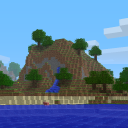
Hello guys! Im using the official minecraft launcher, and decided to give Beta 1.7.3 a try for that nostalgic feeling of playing it for the first time on my grandmother’s ancient PC. However, even when full screen I get what you can see in the image above, and I cant find any settings to change the resolution.
Keep in mind, Im on a weird setup. Im on Arch Linux with bspwm and 2 monitors.
If I press F11 while fullscreen it cycles through several modes and eventually gets to one where the game looks right as it should, but unfortunately that disables my second monitor and I need to restart bspwm to get everything as it should be (otherwise it just duplicates the first monitor to the second one).
I read in some forum threads that where might be some java launch arguments that can set the resolution, but Im not sure how to do any of that from the MC launcher.
Any help is appreciated!
I tried 1920x1080 and there was no change.
I downloaded beta 1.7 just to try this, and im having an entire other set of issues with the resolution lol. Hitting f11 doesn’t fullscreen the game at all, but using the keybind for fullscreen for my OS rather than the game one seems to fullscreen it fine (and funnily enough setting the resolution in the launcher does nothing)
¯\_(ツ)_/¯ maybe this version is just cursed
Ill try with a slightly newer version to see if maybe it fixes, though I doubt it. Its highly likely its something to do with bspwm (my window manager) and my general configuration.
Edit: Tried both Beta 1.8 and beta 1.8.1 with no difference :/ I could always play on a server but I really just want the solo experience to take things at my own pace